

Steps:
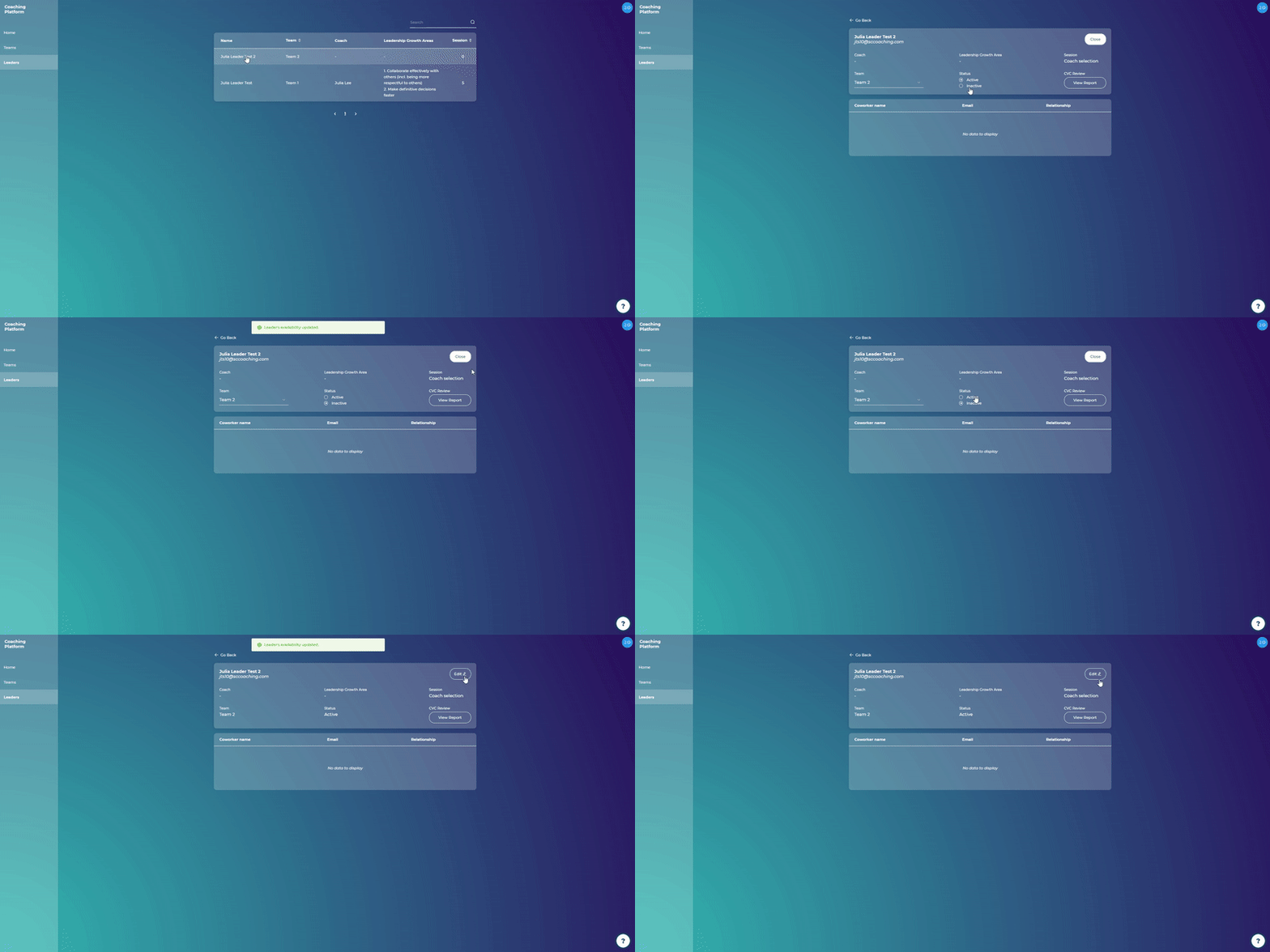
How to deactivate leaders
On the Leaders page click on a leader's name
Click on the "Edit" button in the upper right corner of the leader's page
Change status to "Inactive"
Click "Save change"
How to reactivate leaders
Click on the "Edit" button in the upper right corner of the leader's page
Change status to "Active"
Click "Save change"
Note: The leader will not be notified once their account gets deactivated/reactivated. If the leader tries to log into the coaching platform once their account has been deactivated, they will not be able to do so.