
Steps:
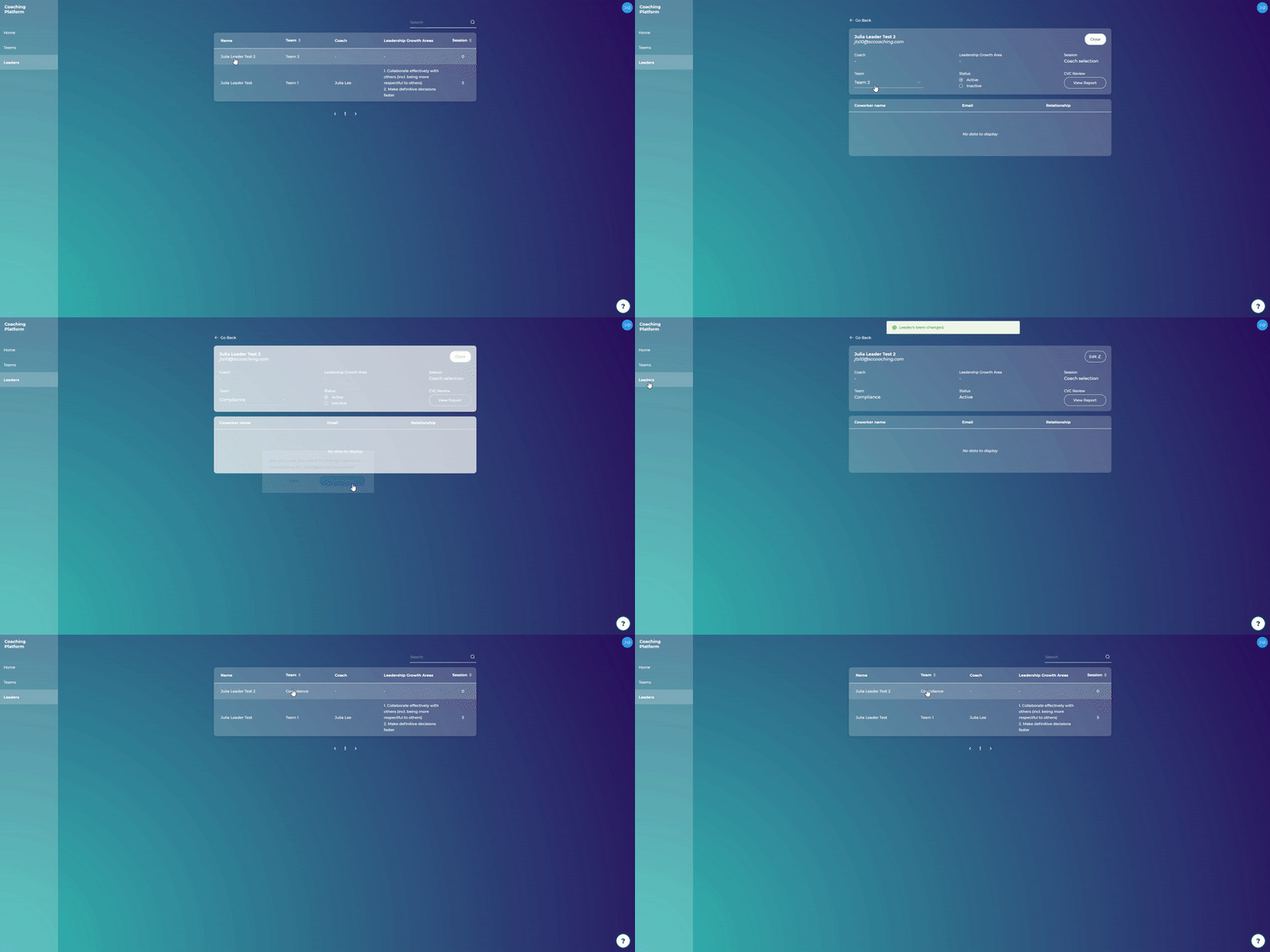
On the Leaders page click on a leader's name
Click on the "Edit" button in the upper right corner of the leader's page
Choose a new team from the dropdown menu
Click "Save change"

What are you looking for?
Getting started
Last updated on 11 Mar, 2021
Steps:
On the Leaders page click on a leader's name
Click on the "Edit" button in the upper right corner of the leader's page
Choose a new team from the dropdown menu
Click "Save change"