
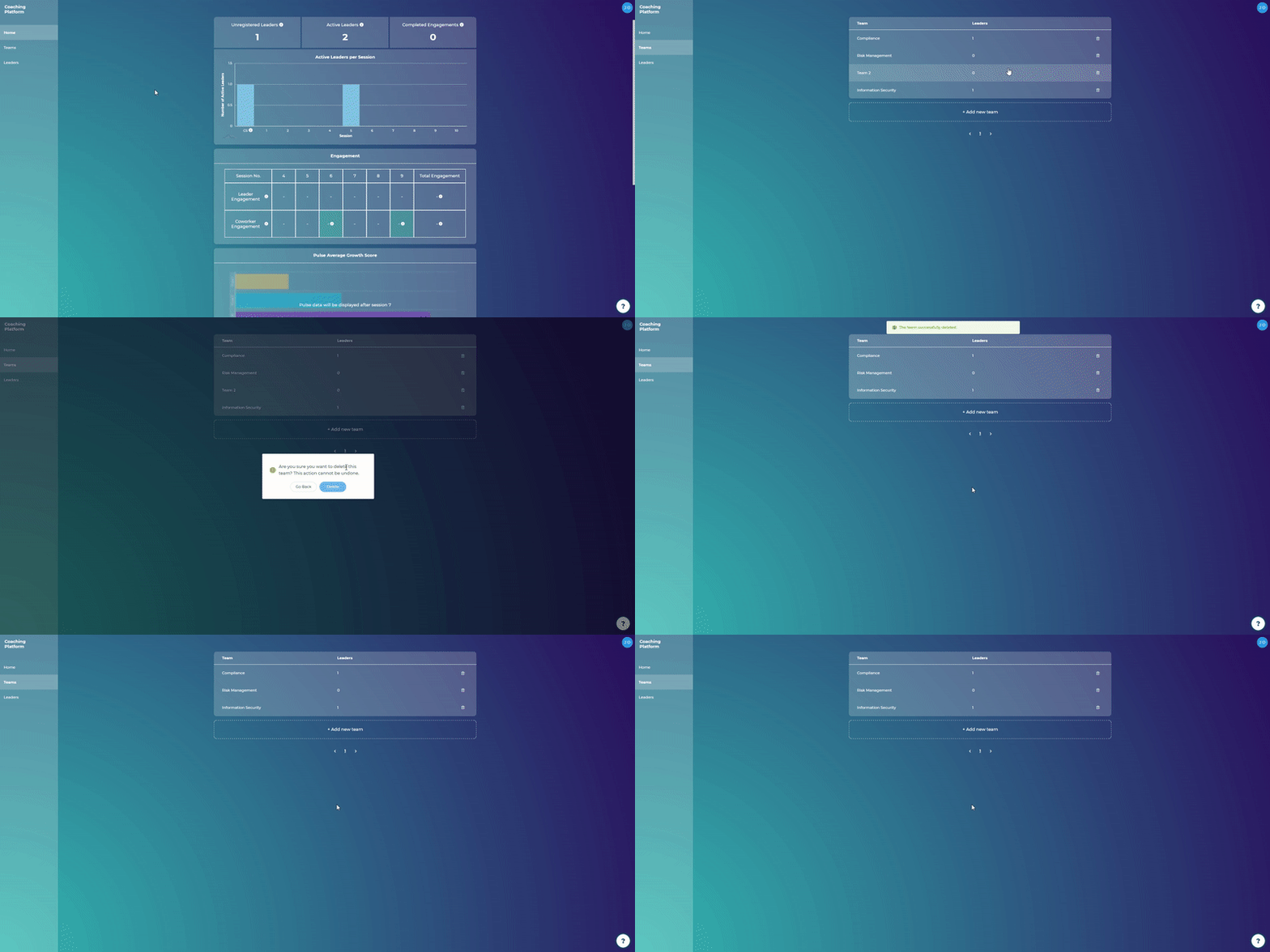
Steps:
Go to Teams
Click on the recycle bin icon
Click "Delete"
Note: Deleting teams is permanent and cannot be undone.

What are you looking for?
Getting started
Last updated on 11 Mar, 2021
Steps:
Go to Teams
Click on the recycle bin icon
Click "Delete"
Note: Deleting teams is permanent and cannot be undone.